Players
Join the fun
No account, no purchase. Just the free app and a room code from your host.
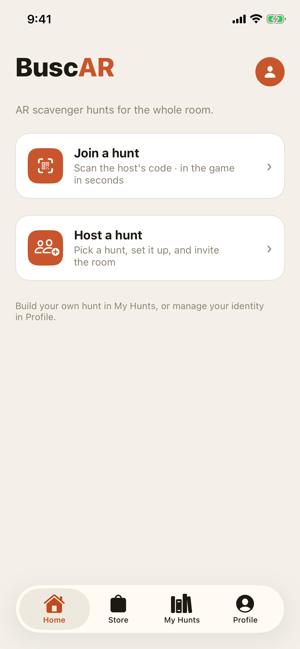
Home screen
- 1Open the free app and tap Join a hunt on Home.
- 2Scan the host's QR code, or type the 5-character room code (like FOX-42).
- 3Pick your color, type your name, tap Enter the hunt.
- 4Wait for the host to tap Start. Everyone begins together.
- 5Read the clue, walk to the place, tap I'm at the spot — scan the code and point your camera at the printed card.
- 6Tap the glowing AR object, solve the puzzle, collect items and vault marks. A wrong answer just lets you try again.
- 7Finish first, or score the most, depending on the host's win mode.
Hosts
Run the game
Plan roughly 30–45 minutes the first time for an 11-station hunt.
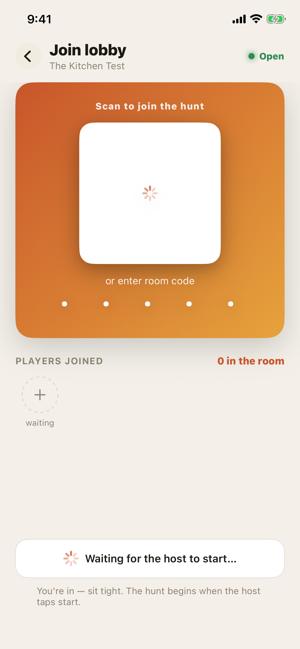
Join lobby
- 1Buy the hunt in the Store tab (one-time purchase). Sign in with Apple when you tap Host a hunt.
- 2Host a hunt: pick the hunt, max players, win mode (Race or Score) and an optional timer.
- 3Station codes: tap the share icon, print at Actual Size / 100%, tape each card where its station lives.
- 4Place AR objects: point at each card, tap to place, Save this spot. About 1–2 minutes per station.
- 5Optional Proceed to lines tell players where in your space to go.
- 6Open the join lobby, put the join poster on the wall, let guests join.
- 7Tap Start. Watch the Host Monitor; End game is there if you need it.
Good to knowFamily and Adult narration is a per-phone switch on the clue screen: tap the Family mode pill to change your own tone.
1 · Print truePrint cards at 100%. QR codes are 8 cm.
2 · Matte paperGlossy prints reflect light and won't scan.
3 · Tape flatFlat, at eye level, on a firm surface.
4 · Cards, then ARPlace AR objects in good light, after the cards are up.
5 · Charge upCharge every phone before the party.
Stuck?
QR card won't scanStep back, add light, avoid glare.
AR object doesn't appearKeep the card in view and move slowly.
"This room is full"The host raises the player limit next game.
Want to build your own hunt? The Builder is covered in the full guide.